CSCS1730 UNIX/Linux Fundamentals
PROJECT: UNIX SKILLS REVIEW (usr0)
OBJECTIVE
To practice/review some previously utilized skills in order to obtain better mastery (assuming you've done the reading and successfully completed prior encounters with this topic), in combination with a specific focus on time management.
It has been a while since we first encountered file permissions; yet they constantly remain ready to be put to use in our problem solving endeavours. I figure it would be a good time to have you review that concept, so this is a project dedicated to that, along with exploring them in further depth (and, well, time management).
REFERENCE
Be sure you are familiar with the octal file permissions, as are used with the chmod command. You might want to check out:
- chmod(1)
- chmod(2)
REVIEW TOPIC
For this week, the main topic of review will be file permissions. We see them when running an ls -l, for example:
lab46:/usr/local/bin$ ls -l s[uta]*
-rwxr-xr-x 1 root  staff  3126 Oct  3  2023 /usr/local/bin/sanitizehg
-rwx------ 1 root  staff  3646 Feb 25  2021 /usr/local/bin/sanitizewebfiles
-rwxr-x--- 1 wedge lab46   763 Nov 19  2024 /usr/local/bin/status
-rwxr-x--- 1 wedge lab46 11002 Apr 21  2022 /usr/local/bin/status.logic
-rwxr-x--- 1 wedge lab46 16974 Mar 31  2024 /usr/local/bin/submit
-rwxr-x--- 1 wedge lab46  7108 Oct 29  2021 /usr/local/bin/submitchk
lab46:/usr/local/bin$
Of course, the file permission part is:
-rwxr-x---We split this into 3 fields (the leftmost dash is an additional field, and is for the file type) into user, group, and other.
-
-indicates a regular file (not part of the file permission scheme) -
rwxcorresponds to the user permissions -
r-xcorresponds to the group permissions -
---corresponds to those who are neither the user nor the group
Breakdown is as follows:
- read
(r)is 4 - write
(w)is 2 - execute/search
(x)is 1 - nothing
(-)is 0
In any given field, we add up the values, which will result in a value within the range 0-7.
So, in our example above, broken down showing the component permissions:
             u      g      o
        -   rwx    r-x    ---
             7      5      0
Practice: Come up with the file permissions for all the files listed in the example above. See how you fare.
I wrote a tool for you to use in this project; it is called urev. It is located on and run on lab46.
Your task will be to run this and complete a minimum of 144 problems (you'll be able to do a maximum of 192– and those that do more than 144 may see some benefit), in groups of 12 at a time (so you don't blow through them all in one sitting.. there's also a time delay before you can do the next set of 12– so you clearly shouldn't wait until the last minute).
To use urev, basically type in the 3 or 4 octal values matching the problem displayed (in the above example, you'd type in '7' '5' and '0', and upon input of each value, it will appear on the screen.
If you get all 3 (or 4) correct, you'll earn a point. (Careful not to type too fast, otherwise the output may appear garbled).
Any accumulated mistakes can be mitigated by doing problems in excess of the 144 required minimum. Once any mistakes have been nullified, some apportionment of bonus points can then be attained (not to exceed half the total points the project is worth).
PRACTICE PROBLEMS
- rwx r-x r-x /usr/local/bin/sanitizehg (755)
- rwx --- --- /usr/local/bin/sanitizewebfiles (700)
- rwx r-x --- /usr/local/bin/status (750)
- rwx r-x --- /usr/local/bin/status.logic (750)
- rwx r-x --- /usr/local/bin/submit (750)
- rwx r-x --- /usr/local/bin/submitchk (750)
4TH TIER PERMISSIONS
In addition to the classic three-valued permissions, there is an additional tier of permissions, corresponding to the "SetUID", "SetGID", and "Sticky Bit" modes. These represent a fourth value (the leading value).
Be aware: Once you reach your 96th problem, this mode will be unlocked, and all modes entered will be 4-octal values long.
To maintain general compatibility with the existing structure of the system, especially organization and real estate taken up by the display of the unix filemode string, this further tier of permissions instead overlays atop the 'x' fields of the user, group, and other fields.
Breakdown is as follows:
- SetUID
(s)has a value of 4- this will manifest in the user field, overlaying its 'x' bit position
- 's' if 'x' is present, 'S' if 'x' is not present
- SetGID
(s)has a value of 2- this will manifest in the group field, overlaying its 'x' bit position
- 's' if 'x' is present, 'S' if 'x' is not present
- the Sticky Bit
(t)has a value of 1- this will manifest in the other field, overlaying its 'x' bit position
- 't' if 'x' is present, 'T' if 'x' is not present
- nothing
(-)is 0
lab46:/usr/bin$ ls -l at procmail su
-rwsr-sr-x 1 daemon daemon  59768 Oct 15  2022 /usr/bin/at
-rwsr-sr-x 1 root   mail   101664 Mar  1  2022 /usr/bin/procmail
-rwsr-xr-x 1 root   root    72000 Nov 21  2024 /usr/bin/su
lab46:/usr/bin$
Of course, the file permission part is:
-rwsr-sr-xWe split this into 3 fields (the leftmost dash is an additional field, and is for the file type) into user, group, and other.
-
-indicates a regular file (not part of the file permission scheme) -
rwscorresponds to the user permissions -
r-scorresponds to the group permissions -
r-xcorresponds to those who are neither the user nor are in the group
In any given field, we add up the values, which will result in a value within the range 0-7. The same is the case here.
We start by computing the new, topmost tier:
- Is there an 's' or 'S' in the user field? If so: 4. If not: 0.
- Is there an 's' or 'S' in the group field? If so: 2. If not: 0.
- Is there a 't' or 'T' in the other field? If so: 1. If not: 0.
Breakdown is as follows:
- user has an 's', so: 4
- group has a 's', so: 2
- other does not have a 't', so: 0
Add them up: 4+2+0=6. That is our first value.
We then proceed to process the remaining 3 tiers as before:
- user is 'rwx' (lowercase 's' indicates an 'x' underneath), for a: 7
- group is 'r-x' (lowercase 's' indicates an 'x' underneath), for a: 5
- other is 'r-x' (if there were a lowercase 't', it would indicate an 'x' underneath), for a: 5
Final 4-tier octal permission for the example is therefore: 6755.
Practice with the other examples, compare your results and see how you fare.
You are to calculate this tier of permissions separate from the others (it is a distinct, separate fourth octal value, leading the classic three-valued permissions you've been working on so far).
Over time, there may be changes in display form and difficulty. Think it through, answer with confidence!
PRACTICE
-rwsr-sr-x /usr/bin/at (6755)
-rwsr-sr-x /usr/bin/procmail (6755)
-rwsr-xr-x /usr/bin/su (4755)
TIME DELAY
To reinforce mastery, there is a time delay instituted to prevent accomplishing this task in one sitting. You will have to plan your time accordingly to perform this project in the time allotted.
PROJECT STATS
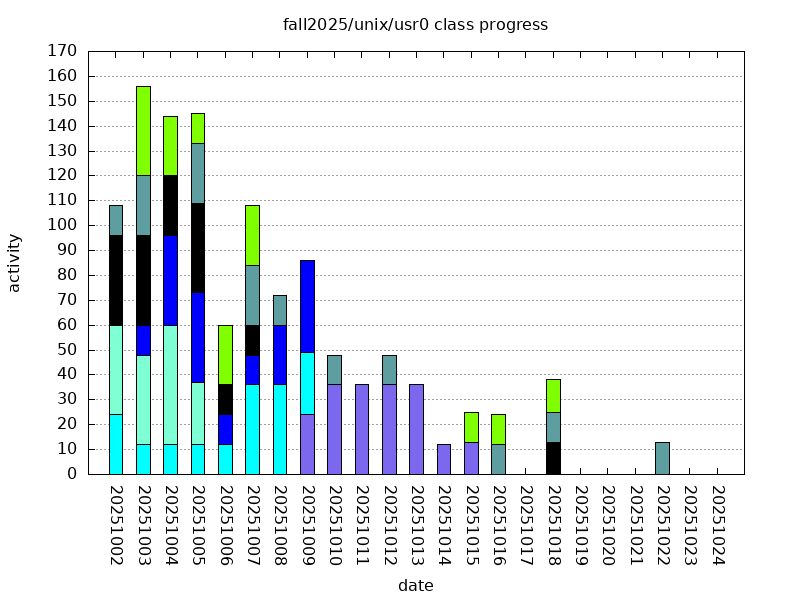
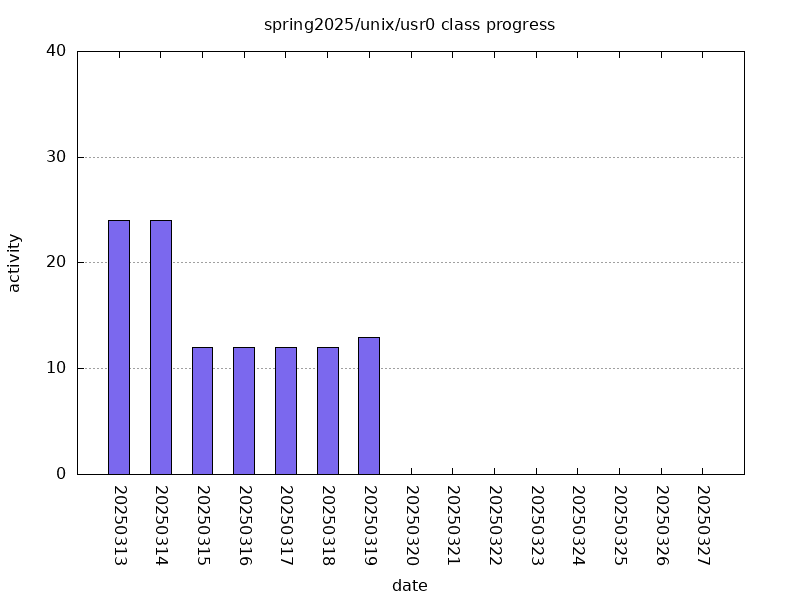
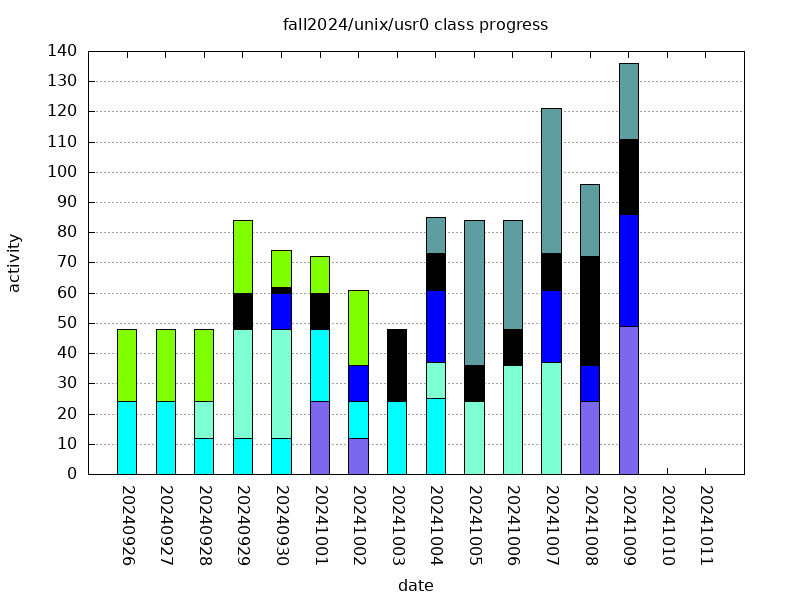
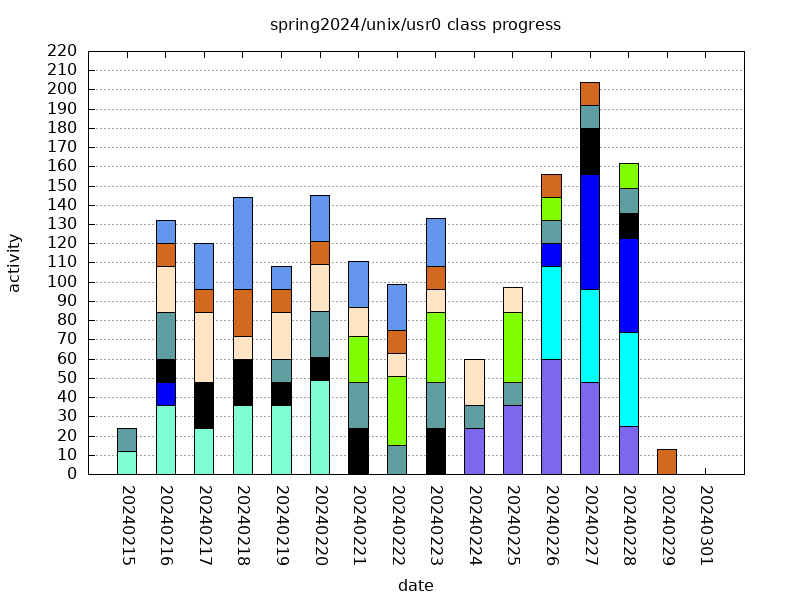
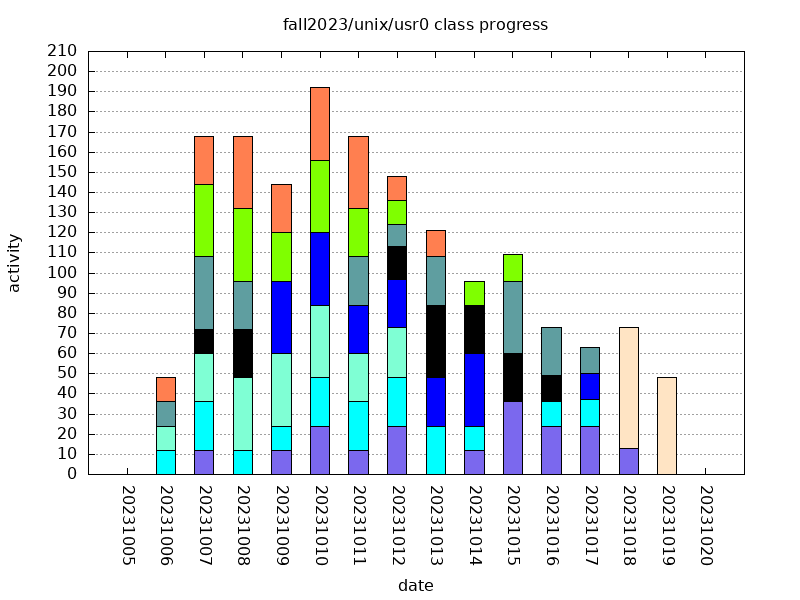
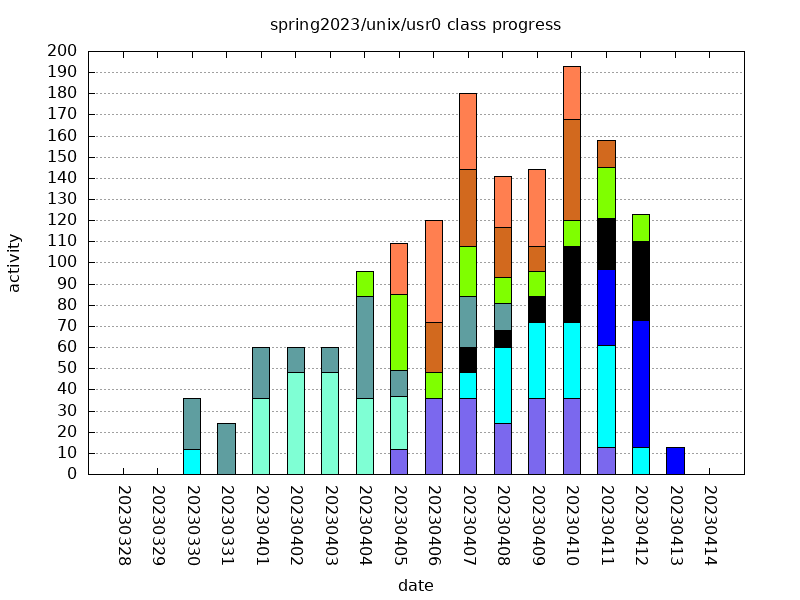
A general overview of how the class has approached the project:

where each color represents one individual's activity that day, stacked with that of others, enabling an overall per day general class activity. Higher bars and larger chunks of bars denote greater activity.
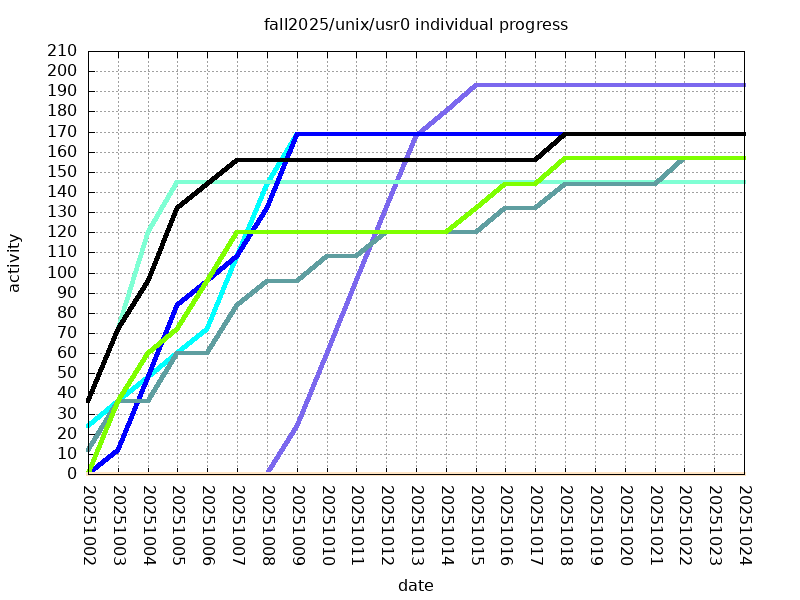
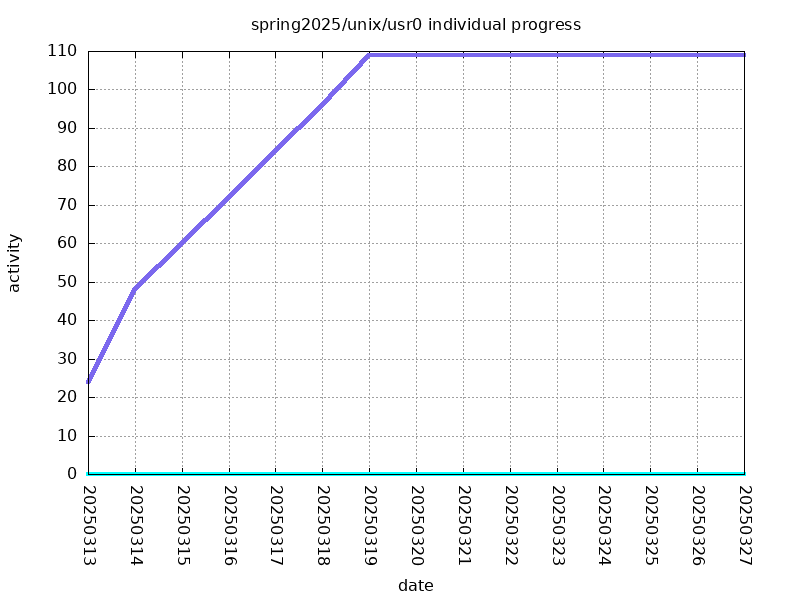
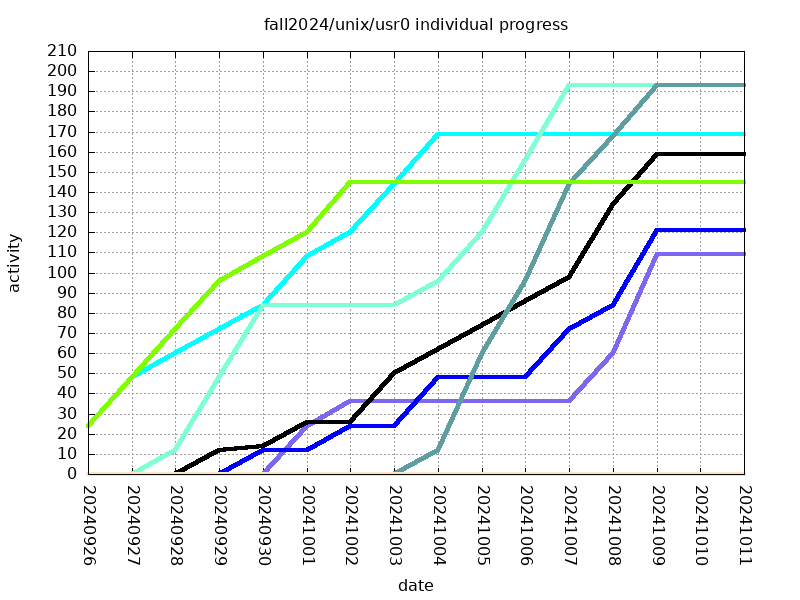
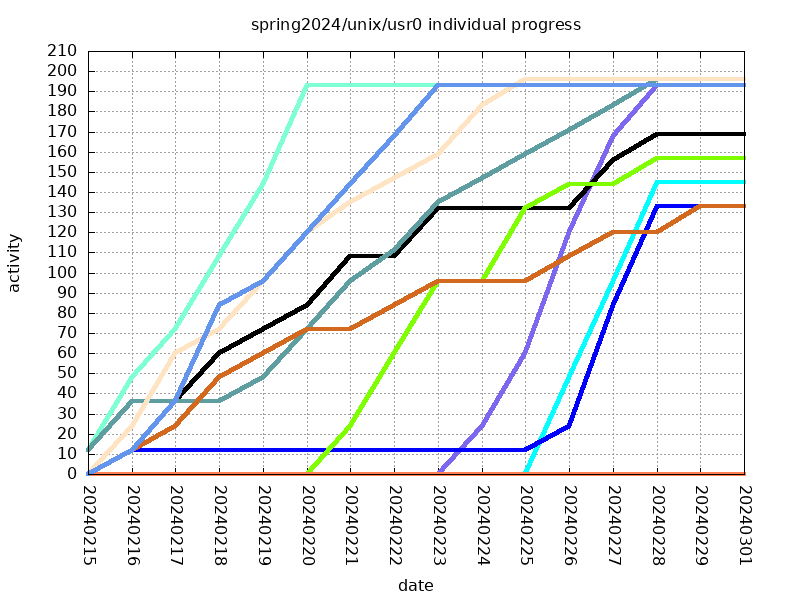
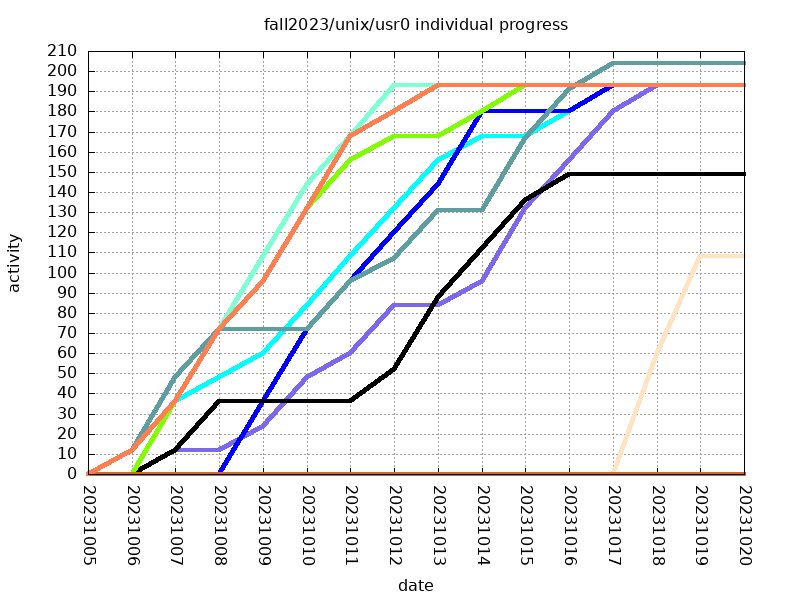
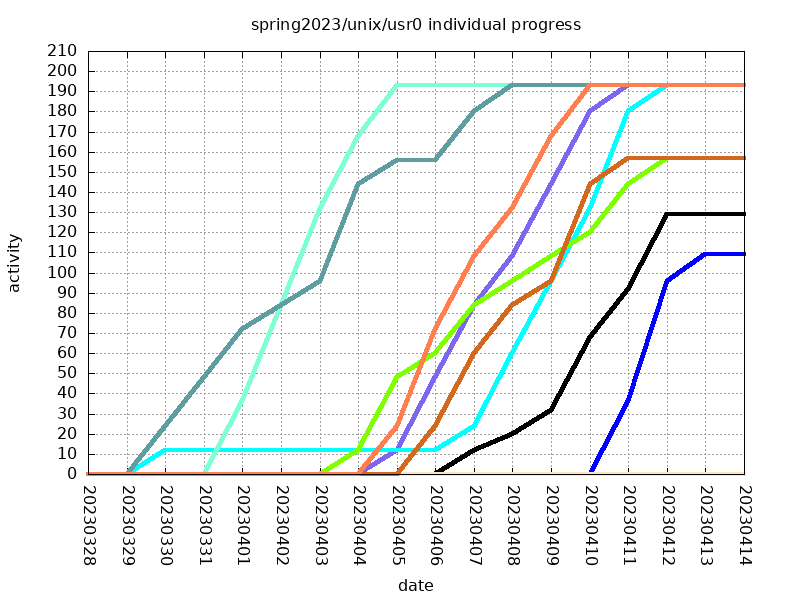
And a more individual effort:

where each line is an individual's cumulative progress over the set of days the project is available. The higher the line, the more work is being done.
HISTORICAL PROJECT RESULTS
FALL2025
General:
Individual:
SPRING2025
General:
Individual:
FALL2024
General:
Individual:
SPRING2024
General:
Individual:
FALL2023
General:
Individual:
SPRING2023
General:
Individual:
SUBMISSION
Submission for this project is super-easy: simply complete the minimum required problems (144) by the deadline; no need to manually submit anything- just doing your urev allotments on lab46 is all that needs to be done.
There is an opportunity to gain bonus points, and/or make up for mistakes made during the performing of this project, by doing more problems in addition to the 144 minimum.
A central focus of this project is an enforced time management. You may want to plan ahead to make sure you budget the adequate time so you do not end up missing out.
RUBRIC
I'll be evaluating the project based on the following criteria:
208:usr0:final tally of results (208/208)
*:usr0:completed required 3-tier problems successfully [104/104]
*:usr0:completed required 4-tier problems successfully [104/104]
NOTE: as with other projects, in order to get credit for the project it must be submitted. To submit this project, you must have completed 144 problems. Not doing so will not garner you any points.